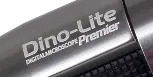
Dino-Lite digital microscopes are are an innovative addition to the world of the microscope. They are proving extremely popular for serious professional applications such as industrial inspection and medical, while also proving ideal for hobbyists, coin and stamp collectors, schools and individual consumers.
Since all the Dino-Lite microscopes look very similar, it can be a little confusing when trying to select the appropriate model for your application. This guide is designed to help you choose. REMEMBER: In order to capture a steady image, you may also need a microscope stand. We have packaged some Dino-Lite microscopes with stands to help your selection and to save you money.
For simplicity, we have divided the Dino-Lite microscopes into Standard and Specialty Series. They all include DinoCapture software.
DINO-LITE DIGITAL MICROSCOPES: STANDARD SERIES
There are three standard series of Dino-Lite digital microscope: AM211, AM311 and AM411. With the exception of the AM211, each model has variations as follows:
- All models that have the last number '3' include measuring software.
- All models that end with the letter 'T' include a touch trigger.
- All models that begin with AD have removeable nose cones/nozzles.
The simplest way to differentiate these standard series of Dino-Lites is to consider them as:
Entry-Level: Dino-Lite AM211 is the entry-level model, with a 0.3 megapixel camera, 640x480 resolution and USB 1.1. It contains four LED lights. It is a popular choice where budget is a primary consideration but we do not recommend or sell it because we understand that the manufacturer will shortly, cease to support the slower USB 1.0 data output. In other words, when the software is upgraded, it is unlikely to work with the AM211. We do not currently carry the AM211 since we understand that the manufacturer will shortly, no longer support USB 1.0.
Hobbyists: Dino-Lite AM311 The AM311S is the best-selling hobbyists model in the Dino-Lite range. It is the same as the 0.3 megapixel, AM211 model except that it includes an improved USB 2.0 output as well as eight LED lights for brighter illumination. This model is also available with the Microtouch trigger mechanism (Model AM311ST) or with both the Microtouch trigger mechanism and measuring software (Model AM313T).
Professional: Dino-Lite AM411T The AM411T series is considered the Pro Series because it is suitable to more professional applications, such as chip inspection, plant dissection, forensics, more advanced coin and stamp collecting, handwriting examination, and biological and laboratory research. The series includes 1.3 megapixel resolution, USB 2.0 output, 8 LED lights and the Microtouch trigger mechanism. Measuring software is included in the AM413T model.
DINO-LITE DIGITAL MICROSCOPES: SPECIALTY RANGE
There are a variety of Dino-Lite specialty microscopes that round out the Dino-Lite line. They are mostly based on the AM411 series and are differentiated by application:
HIGHER MAGNIFICATION: Dino-Lite Pro with 500x Fixed Focus: This microscope is exactly like the AM413T (with measuring feature, above) but with an added option of 500x fixed magnification. This feature is specifically designed for professionals or hobbyists who require closer inspection of a specimen, whether it be a coin, printed text or hair.
ENHANCED WORKING DISTANCE: Dino-Lite Pro w/ Enhanced Working Distance: This model is similar to the AM413T with the Microtouch trigger mechanism and measuring software. It also includes an enhanced working distance for professionals or hobbyists who require a greater working distance than normal (up to 5.7"). This Dino-Lite model is ideal for static workstations where routine, detailed inspections are involved.
POLARIZATION: Dino-Lite Pro with Polarization: The Dino-Lite Pro AM413ZT boasts the same features as the Dino-Lite 413T (Microtouch and measuring software), but also includes a polarizing element. Polarized light microscopy is useful when detailed information about a subject's composition is crucial, making this digital microscope ideal for rock and mineral identification as well as medical diagnostic applications and materials inspection (plastics, LCD screens, etc.)
OTOLOGY: Dino-Lite EarScope: This Dino-Lite AMH-EUT EarScope is a handheld, digital ear scope ideal for audiologists and other medical professionals. It includes the Microtouch triger mechanism and measuring software.
OPTHALMOLOGY: Dino-Lite Iris Scope: The Dino-Lite AMH-RUT Iris Scope is ideal for ophthalmic applications, and is also useful for various other medical techniques, including naturopathy and cosmetic examination. It includes the Microtouch triger mechanism and measuring software.
ULTRAVIOLET: Dino-Lite AM413T-FVW is similar to the AM413T digital microscope (Microtouch and measurement software), but also includes four white and four UV LED lights, which can easily be turned on and off using the included DinoCapture software. This model is also available with enhanced working distance (AM413TL-FVW)
LOW POWER/HIGH POWER AM451: This is a fascinating addition to the Dino-Lite stable of products. It includes what are essentially, three variable objectives in order to achieve a low magnification of 50x and a high of 600x! It is, therefore, ideal for applications that require higher magnifications while, in our opinion, likely to be a best seller among schools and students.
*All Dino-Lite models come with the DinoCapture software*
FREQUENTLY ASKED QUESTIONS
If it's so small, how can it be so powerful?
This is a fair question. On first glance you might think of the Dino-Lite digital microscope as more of a gadget than an effective, handheld, digital microscope, but it is a professional, handheld, portable microscope that is widely used in industry for inspection applications while also proving popular with hobbyists.
The microscope, whether in contact with the specimen or on the same level (skin is a good example) was constructed to reach maximum magnification and clear focus, depending on which model you're using. The length of the nozzle affects the focal length. In order to reach maximum magnification, hold the microscope on the specimen until it comes into focus and then continue to zoom until the observed object comes into focus a second time. Now you've reached maximum magnification. Keep in mind that when the microscope is farther away from the specimen you can only zoom in at one magnification range.
So, what is the magnification?
The Dino-Lite AM series (211, 311, 313, 411, 413 models) of handheld microscopes offer ranges of 10x to 200x. The Dino-Lite AM413T5 offers a fixed magnification of 500x, and the AM451 Tabletop microscope ranges from 10x to 600x.
How do I actually use the Dino-Lite Digital Microscope?
The setup and installation of the DinoCapture software is very simple and can be completed in a few short steps. Make sure you install the software first; the included instructions will guide you through the process. Make sure you plug the device in AFTER you've installed the DinoCapture software.
Once the software is installed and you've plugged in your Dino-Lite digital microscope, now it's time to begin specimen examination.
Note: When using any microscope, whether traditional or digital, always begin observing using the lowest magnification setting.
1. Point the Dino-Lite at the specimen you wish to observe.
2. Slowly turn the adjustment knob using your thumb until the image comes into focus on the screen.
3. Continue turning the knob to adjust to a greater magnification, if desired.
4. When the image is at your desired focus, click on the "picture" button to snap a photo. Of, if you're using a Dino-Lite model with the Microtouch feature, just tap the button located on the end of the device.
5. The picture will appear under the picture tab on the left-hand side of your screen. If you want to open it or make it larger, simply double click the image.
6. Here is where you will see a toolbar with various options, such as adding text to the image, changing the resolution and emailing the image.
Does the Dino-Lite offer video capabilities?
Yes, it is also possible to capture video with the Dino-Lite software. Simply navigate to the "Capture" tab on the main toolbar and click on "Video." Here, you can set frame rates, recording time limit and enable or disable audio. It is important to click on the "Compress" tab before capturing video and select from the list of "Compressors" you can choose from.
View the complete Dino-Lite User's Manual.
View the Dino-Lite DinoCapture Software Instructions (AM311, 411 models)
View the DinoCapture Software Instructions (AM 313, 413 models)
|